7 Benefits of Integrating Stream Telecom Telephony with Your CRM: How to Automate Sales
How much time do your sales reps spend logging calls in the CRM? And how many potential sales does your team lose to missed calls, late callbacks or gaps in a customer's history?
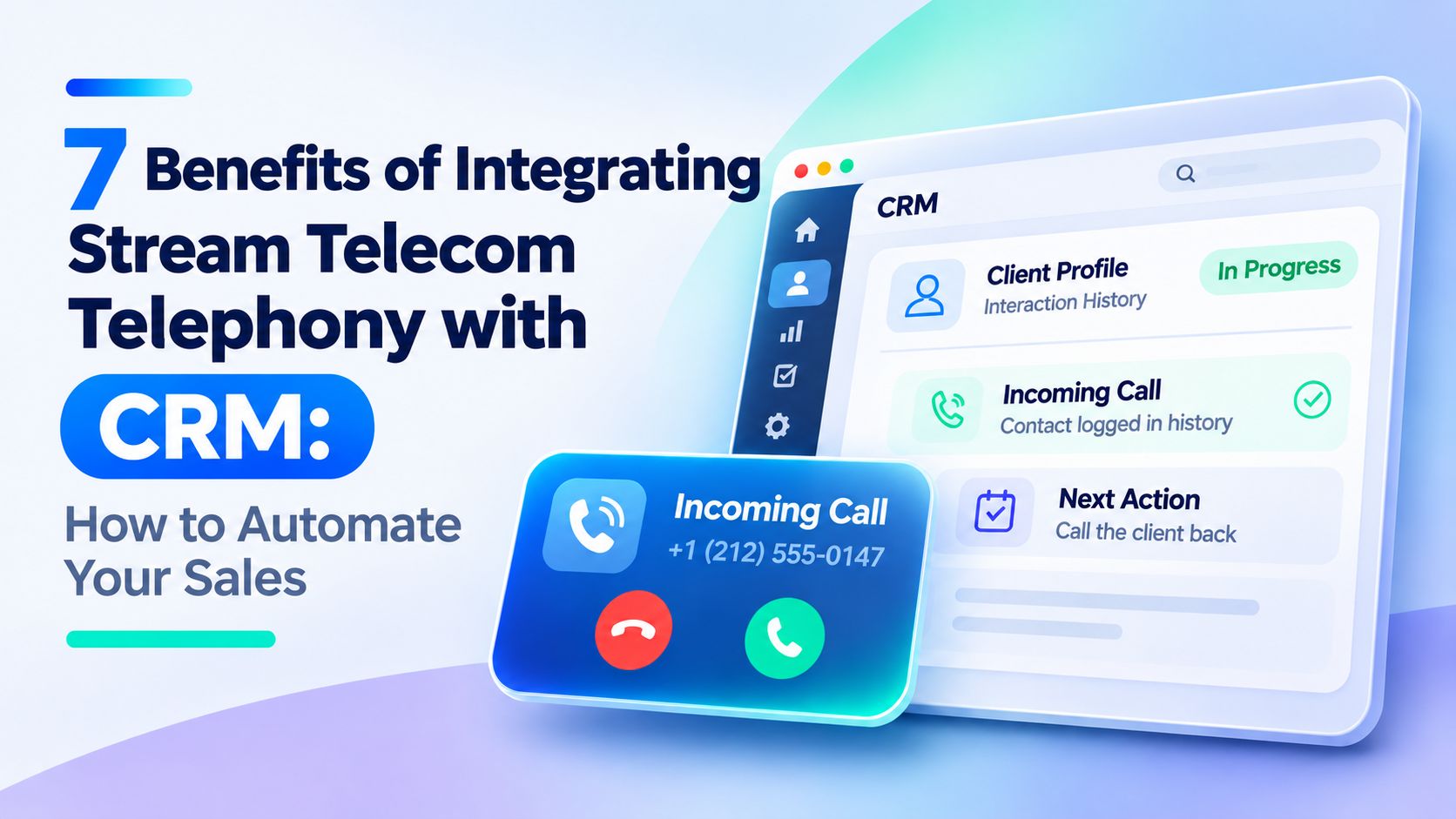
Integrating the Stream Telecom virtual PBX with your CRM automates call logging. Reps can find customer details faster, while managers can see how the team handles inquiries and track sales activity.
Stream Telecom integrates with most popular CRM platforms. Here are seven benefits for businesses, with examples of how the automation features work in different CRMs.
How does virtual PBX integration with a CRM work?
Integrating a virtual PBX with your CRM lets the two systems exchange data automatically. Call details, inquiry history and conversation recordings are available directly in the CRM, so reps can access them without moving data between systems.
When a customer calls, the system matches the phone number to a customer record and opens it with the interaction history. The rep can see the relevant information as the call comes in. Once the conversation ends, the system saves the call details automatically. Reps can also call customers from the CRM with a single click.
You can connect the Stream Telecom virtual PBX to your CRM through a prebuilt integration or an API. This brings calls, contacts and deals into the same interface and reduces manual work.
7 benefits of integrating the Stream Telecom virtual PBX with your CRM
Connecting your phone system to your CRM changes how your team works from the first inquiry through to closing the deal. It reduces manual work, helps reps respond to calls on time and gives managers more information to guide the team. Here are the seven benefits.
1. Less manual work and more time for sales
Reps no longer have to log every call by hand. The phone system sends call details to the CRM automatically, where they become part of the customer's interaction history.
With Click to Call, reps can call a customer by clicking their number in the CRM. There's no need to copy the contact, open another app or dial the number manually.
For sales teams that make dozens of calls a day, these shortcuts mean faster outreach and more time for sales conversations.
2. Reps see customer details before the conversation starts
When an incoming call arrives, the CRM recognizes the number and opens the customer's record. The rep immediately sees who's calling, who previously spoke with the customer, what they asked about and where the deal stands.
This is especially helpful when a customer calls back. Reps spend less time looking up information, and customers don't have to explain the same issue again.
Reps can pick up the conversation faster and tailor their response to the customer, even when someone else handled the previous call.
3. Missed calls are easier to track and follow up on
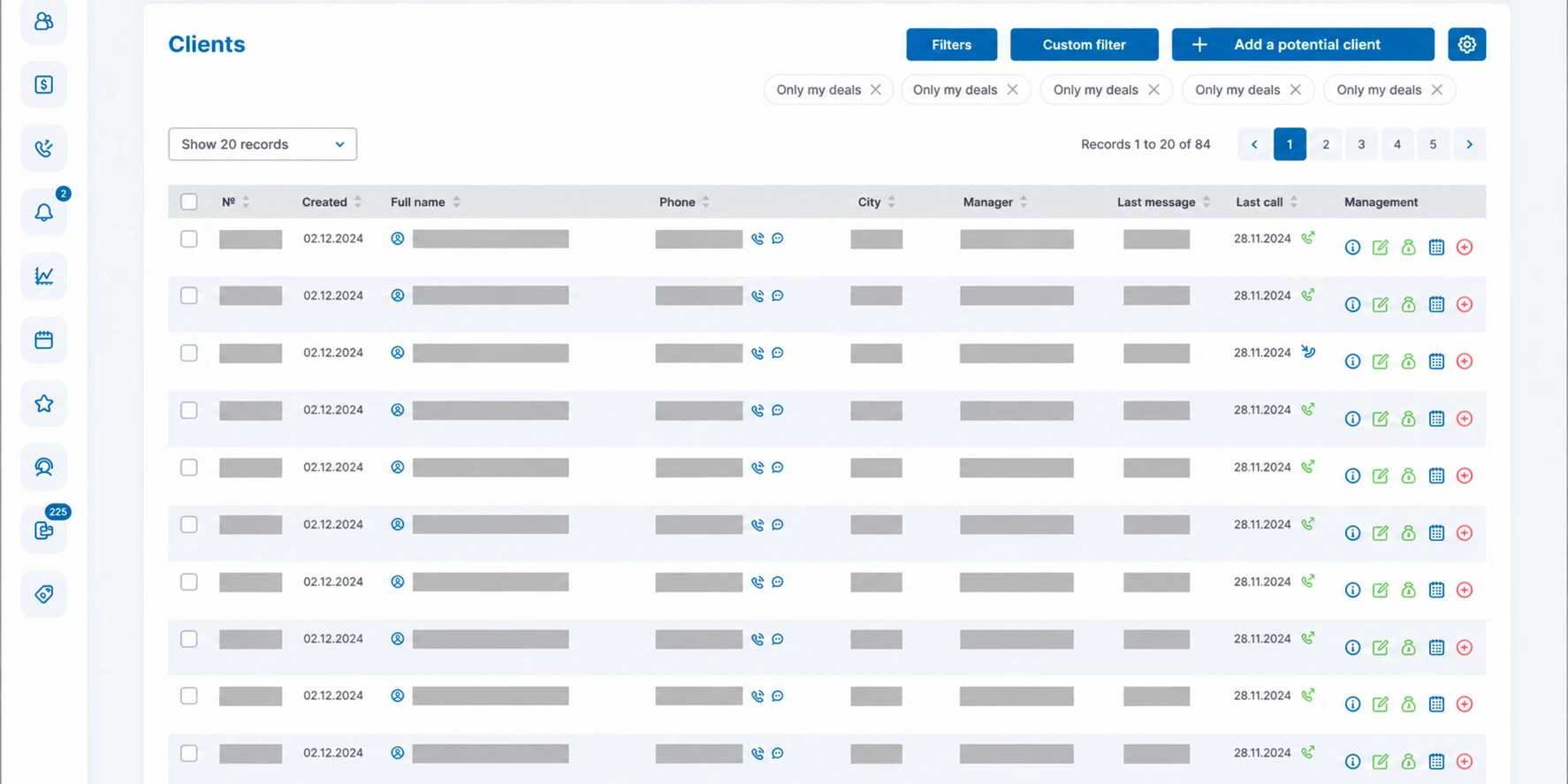
When reps use different phones or apps, missed calls can get buried in notifications. With CRM integration, the team can track these inquiries and follow-ups in one place.
Reps can see which calls went unanswered, and managers can check whether someone called the customer back.
Teams with more complex workflows can use CRM tools or additional automation rules to create callback tasks automatically.
4. Returning callers can reach the rep handling their account
In a long sales cycle, it helps if the customer can keep speaking with the rep who knows what they need and has been handling the deal. This is especially useful for complex products, tailored proposals and deals that go through several approval stages.
Virtual PBX integration lets you route repeat calls to the assigned rep. If that person is busy or unavailable, the phone system follows the fallback routing rules you've configured.
5. Conversation history is available at every stage of the deal
Call details and recordings are available from the customer record. Reps can check what was agreed, clarify a detail in a proposal or revisit an important part of the conversation.
If another rep takes over a deal, they can access the interaction history according to their permissions. They can continue the work with the information they need and avoid reopening questions the team has already settled with the customer.
6. Managers can review call volume and conversation quality
Call volume tells managers how active the team is. To assess how well the team handles sales inquiries, managers also need to know how reps talk with customers, whether they follow up and what happens to deals after those calls.
Integrating telephony with the CRM lets managers review call activity alongside customer and sales data. They can see call statistics, call duration, missed calls and interaction history.
With call recordings, managers can review how reps ask about customer needs, present the product, handle objections and end the conversation.
This helps managers identify why prospects are dropping out, adjust the sales process and coach reps using examples from real calls.
7. Marketing can measure campaigns by the sales they generate
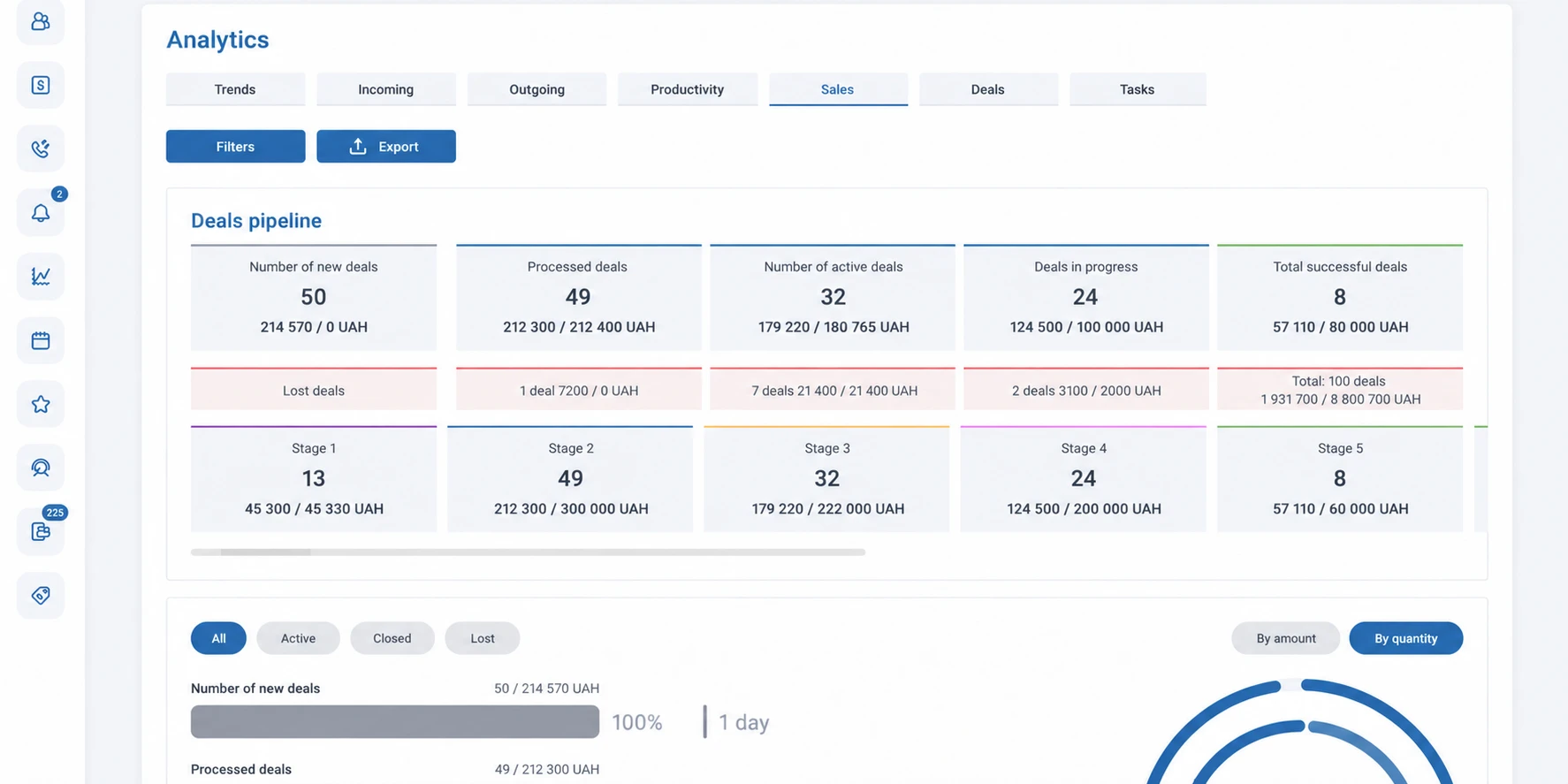
Lead and call counts tell only part of the story. One channel might bring in plenty of inquiries and few deals, while another generates fewer leads that convert at a higher rate.
Connecting Stream Telecom telephony and call tracking to your CRM lets marketers follow the customer from the first call to the closed deal. They can see which channels generate phone inquiries and which of those inquiries turn into sales.
Businesses can measure each channel's contribution to sales and allocate their marketing budget accordingly.
Which CRMs work with Stream Telecom telephony?
Stream Telecom offers its own CRM with built-in telephony. It also supports virtual PBX integration with a range of popular CRM platforms. Here's how calling works in StreamCRM and five other systems.
StreamCRM — Stream Telecom's own CRM with built-in telephony
StreamCRM brings customer records, deals, tasks and calls into one workspace.
On an incoming call, reps see the customer's record and interaction history. They can also start an outgoing call with a single click. The CRM includes call details and recordings, as well as tools for managing the sales pipeline, scheduling tasks and monitoring team activity.
You can also manage virtual PBX settings from StreamCRM, including call forwarding and contact center hours.
KeyCRM — for managing sales and customer inquiries
Integrating KeyCRM with Stream Telecom telephony lets reps automatically open customer records on incoming calls, start outgoing calls in one click and create leads quickly.
Reps can view call history and statistics and play call recordings from the CRM interface. The integration also supports assigning customers to specific reps, transferring calls and picking up calls ringing on another line.
KeepinCRM — for small and midsize businesses
Integrating KeepinCRM with Stream Telecom lets reps handle phone inquiries without switching apps. On an incoming call, they see the customer's record. They can also create a lead and place a call directly from the CRM.
Call history and recordings let reps check earlier inquiries quickly. This is useful for retailers, service providers and other businesses that handle a high volume of customer inquiries every day.
Planfix — for managing tasks and business processes
Planfix combines CRM tools with task and project management. It suits teams where serving a customer takes several steps and involves different people.
The Stream Telecom integration displays the customer record when a call comes in and gives staff access to recordings. Staff can check what was agreed on a call when they carry out tasks or follow up with customers.
Zoho CRM — for managing sales and customer communications
Integrating Zoho CRM with the Stream Telecom virtual PBX lets reps call from a contact record and automatically see customer information on an incoming call.
The integration also offers call history, call statistics, recording playback and the option to assign a rep to a customer. That helps the team stay coordinated and keep track of the conversation as the deal progresses.
SalesDrive — for online stores and order processing
With the SalesDrive integration, reps can place calls in one click, receive incoming call notifications with customer details and review call history.
Missed calls appear in the CRM notification panel, and reps can play back call recordings. The integration also supports call statistics and Call Tracking. This is particularly useful for online stores that take orders over the phone and need to keep track of customer inquiries.
Other CRM platforms
Stream Telecom also works with Microsoft Dynamics 365, Creatio, OneBox, USpacy, retailCRM and other business systems.
See the Stream Telecom integration directory for the full list. If your CRM isn't listed, our team can assess whether it can connect through an API or another way to exchange data.
What does CRM and telephony integration look like in practice?
Consider a typical online store where staff answer daily calls about orders, deliveries and stock.
- A customer calls the store. The Stream Telecom virtual PBX takes the call and sends the call details to the CRM.
- The rep sees the customer's record. The system matches the phone number and displays the customer's contact details, previous orders and inquiry history.
- The rep handles the request. During the call, they check order status, confirm delivery details or make any necessary changes in the CRM.
- The system logs the call automatically. After the conversation, the call details appear in the customer's history, and the recording is available to play in the CRM.
- If the customer calls back, the rep can pick up where the conversation left off. The rep can see what happened on previous calls and continue working on the order.
The phone system receives and routes calls, and the CRM keeps the customer and order details. The rep works in a single interface.
How do you connect the Stream Telecom virtual PBX to your CRM?
Contact Stream Telecom for help connecting your phone system to your CRM and configuring it around your team's workflows. Our specialists can handle the technical setup.
We'll ask which CRM you use, which processes you want to automate and which features you'll need. Then we'll choose a connection method, set up data exchange and test calling, customer records and the other available features.
Stream Telecom supports integration with a wide range of CRMs. If there's no prebuilt integration for your platform, our team will check whether it can connect through an API.
Already using a CRM or planning to introduce one? Send us a request. We'll help you connect telephony to your CRM so your team can manage customer conversations and deals in one place.
Recommended articles
Integrating CRM & ERP Systems with Telephony: Setting up Business Operations in a Unified Database
Read article
What Is SIP Telephony, How Does It Work, and What Benefits Does It Offer Businesses?
Read article