

From your first question to understanding what to change in your business.
Don’t guess — ask
What lies behind
your customer’s rating?
A rating tells you there is a problem. Responses help you understand why. ServicePulse brings together survey creation, detailed statistics and feedback analysis.
Ask about service quality, customer needs, a new product or employee experiences. Compare responses and decide where to start making improvements.
01
Hear your customers
Find out what they are happy with and what they are missing.
02
Understand the cause
Complement ratings with open-ended questions and comments.
03
Choose an action
Use the results to improve your service, product and teamwork.
Business needs
One platform. Different questions.
Choose your goal and build a survey around the decision you need to make.

Marketing and sales
Satisfaction, needs and reasons for churn. Test your hypotheses before launching a new offer.

HR and your team
Employee opinions, new hire onboarding and candidate feedback.

Brand and product
Brand perception, product ratings and willingness to recommend you — NPS.

Events
Registration, participant expectations and post-event impressions.

Education
Tests, learning evaluations and student suggestions for improvement.

Communities and institutions
Inquiries, residents’ opinions and surveys on community initiatives.
ServicePulse features
Key ServicePulse features

Quality control
Track survey results and see where your service needs attention.

Survey builder
Create surveys, add questions and check your questionnaire before publishing.

NPS and loyalty
Measure willingness to recommend you and track the customer experience.

Anonymous surveys
Collect honest responses where confidentiality matters most.

Analytics and reports
Turn responses into clear graphs, charts and detailed statistics.

Filters and segmentation
Quickly find the surveys you need and compare different groups of responses.

Response management
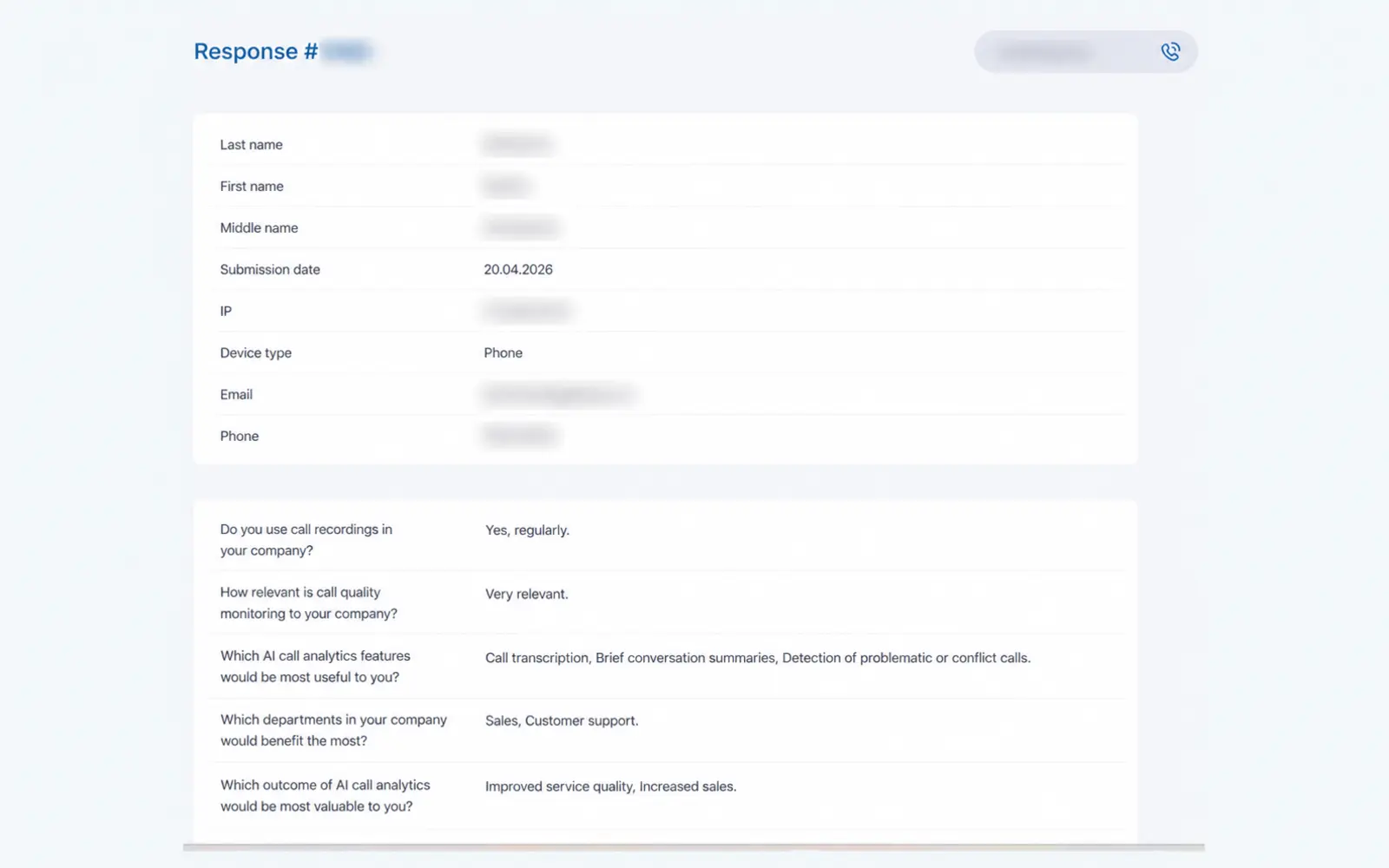
View individual respondent details and export data for further use.

Survey branding
Add your brand’s visual identity so customers recognise your brand when taking a survey.
Take a look inside
What the ServicePulse workspace looks like
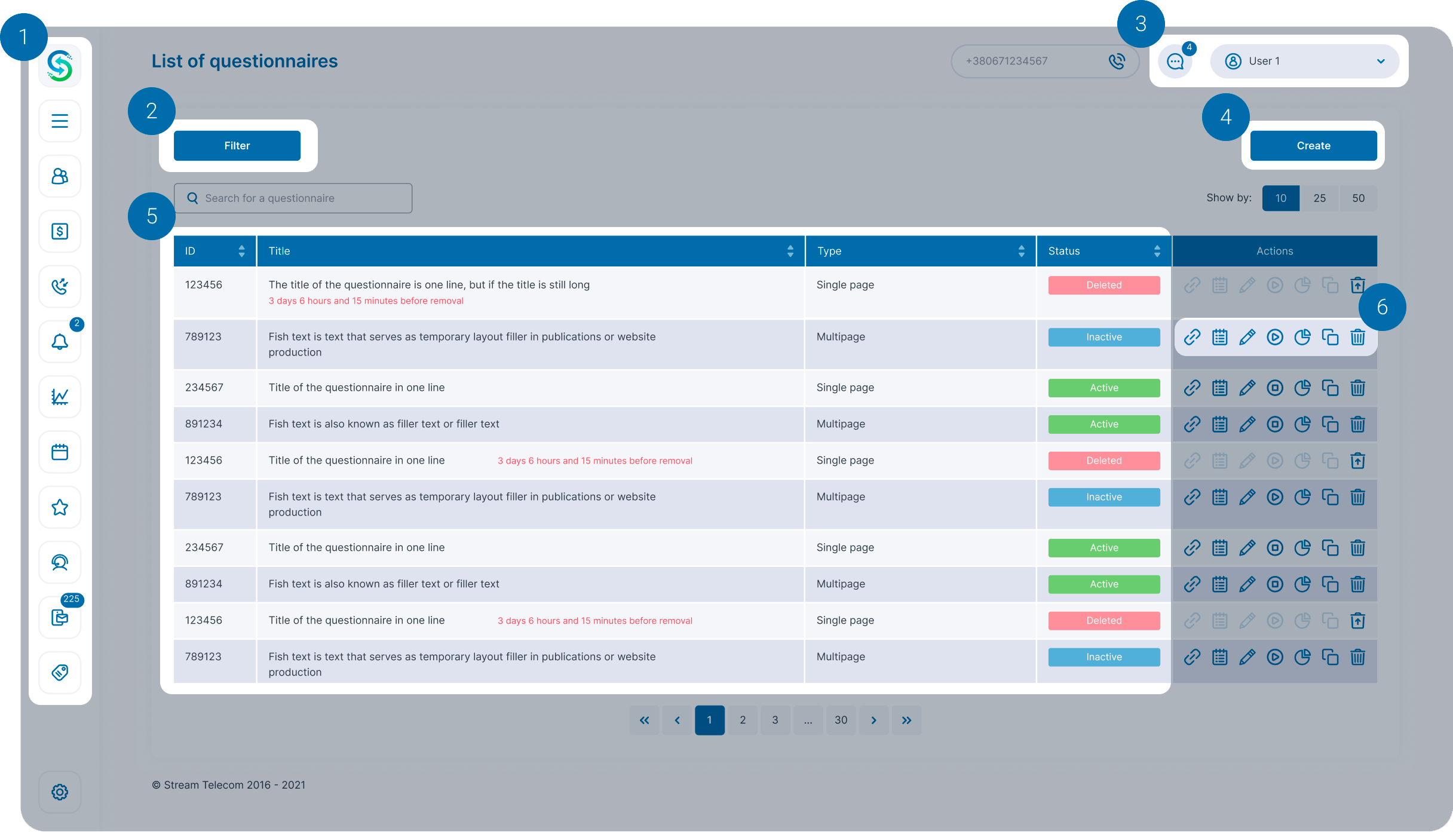
A clear survey list, search and quick access to results.
1
One environment
Surveys, analytics, customers, calls and funnels — in the Stream Telecom workspace.
2
Search and filters
Find the data you need by ID, date, status and question or response parameters.
3
Your account
Set up your favourites and time zone. Work with the sections available in your account.
4
New survey
Start creating a survey directly from the home screen.
5
Survey data
See survey IDs, names, types and statuses in the main list.
6
Quick actions
Edit, activate or disable a survey. Access statistics without unnecessary searching.
ServicePulse interface
See how it works
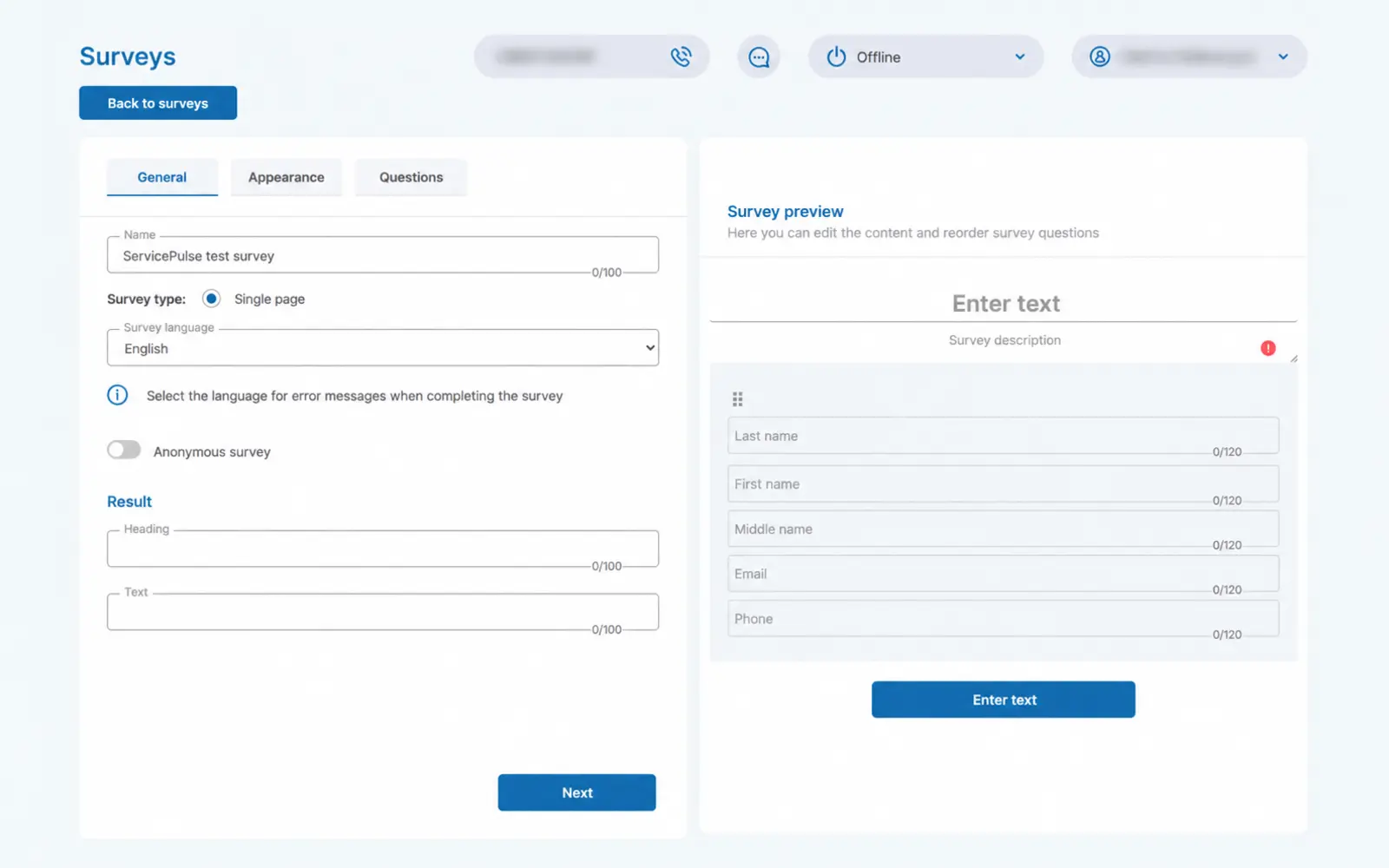
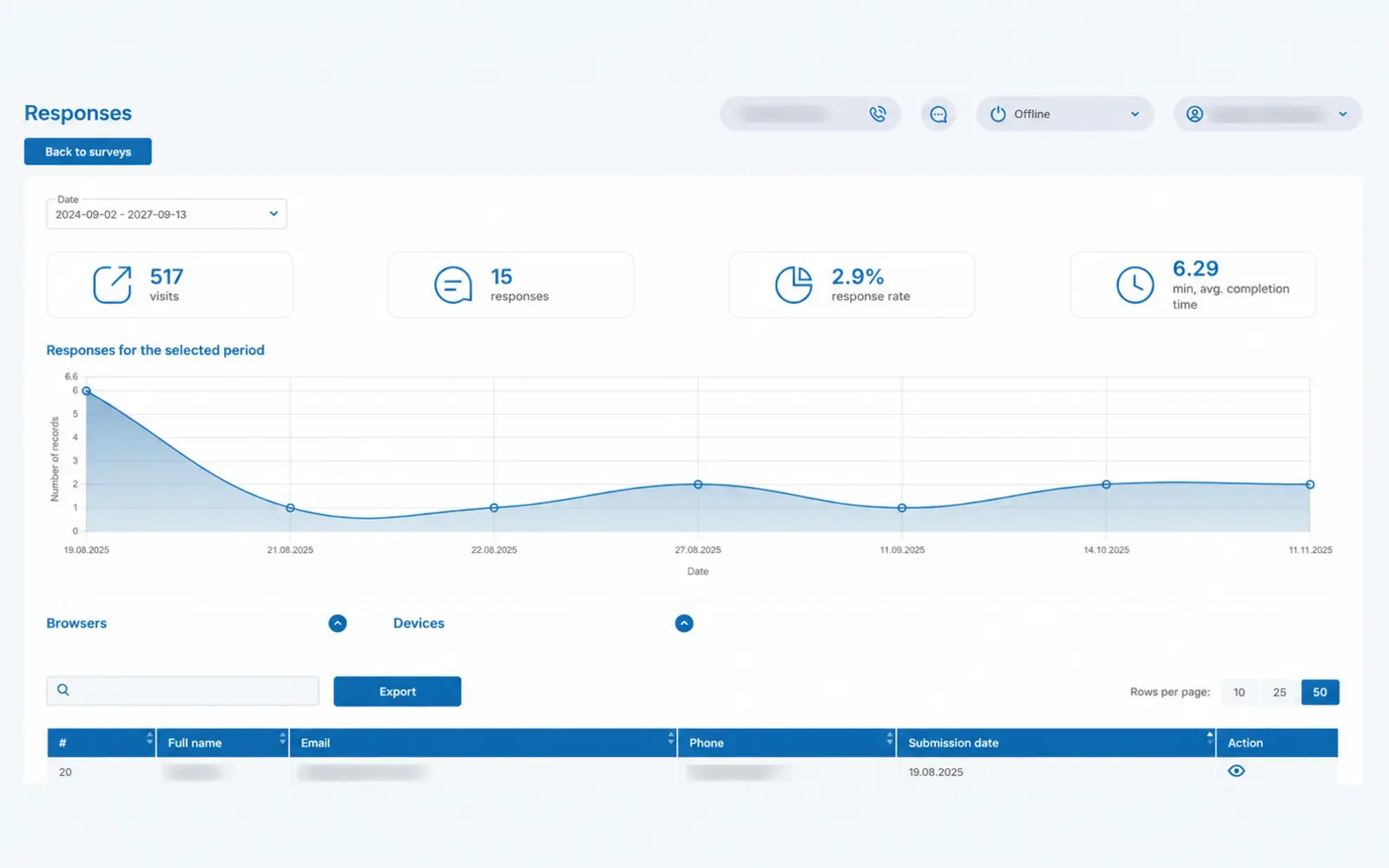
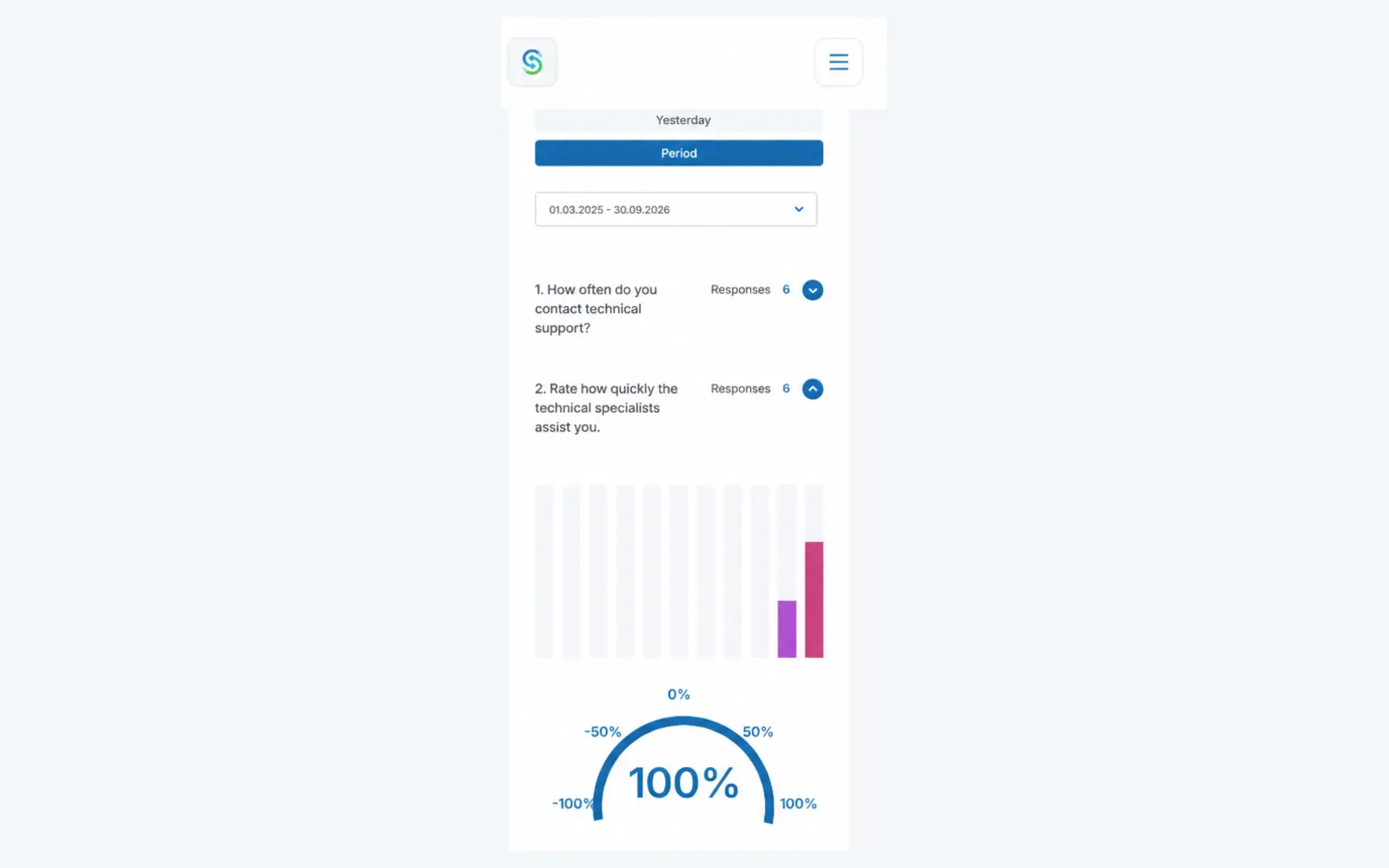
From survey setup to detailed responses. Click a screenshot to take a closer look.
How it works
Three steps to feedback
01 · Create
Ask what matters
Define your goal, add questions and customise the design. Preview your survey before publishing.

02 · Share
Send a link
Share your survey link through your communication channels. Respondents do not need to install an app.

03 · Analyse
Turn responses into a plan
Review the statistics, compare results and decide which changes to prioritise.
Google Forms or ServicePulse?
When ServicePulse is a better fit for your business
Both tools help you collect responses. ServicePulse stands out through its working environment, support and the ability to adapt the service to your needs.
| What matters | Google Forms | ServicePulse |
|---|---|---|
| Survey creation | Forms, templates and design settings. | Survey builder, branding and preview. |
| Working environment | Forms and results management within the Google ecosystem. | Surveys in the Stream Telecom environment alongside customers, calls and funnels. |
| Response analysis | Response charts and results transfer to Google Sheets. | Overall and detailed statistics, filters, respondent reports and export. |
| Help with the service | Google help resources; support availability depends on the product and plan. | Access to the Stream Telecom team and the option to discuss custom enhancements. |
| Usage model | Convenient for forms in the familiar Google environment. Terms depend on your account and plan. | UAH 250/month per survey, with no separate charges for responses or available features. |
Support and development
Work with the service.
Talk to the team.
We will help you understand what ServicePulse can do. If the standard workflow is not enough, we can discuss custom enhancements.
Someone to answer your questions
Contact Stream Telecom about the service, settings and your specific use case.
Room for your requirements
The scope, timeline and cost of custom changes are agreed separately. During the presentation, we will identify exactly what your team needs.
ServicePulse pricing
Clear pricing.
Focus on results.
Plan your budget based on the number of surveys you use. No separate charges for responses, additional storage or available features.
A free plan is available for charitable surveys. Tell us about your initiative so we can agree on the terms.
Questions and answers