
01 / Organization
Customers do not get lost in spreadsheets
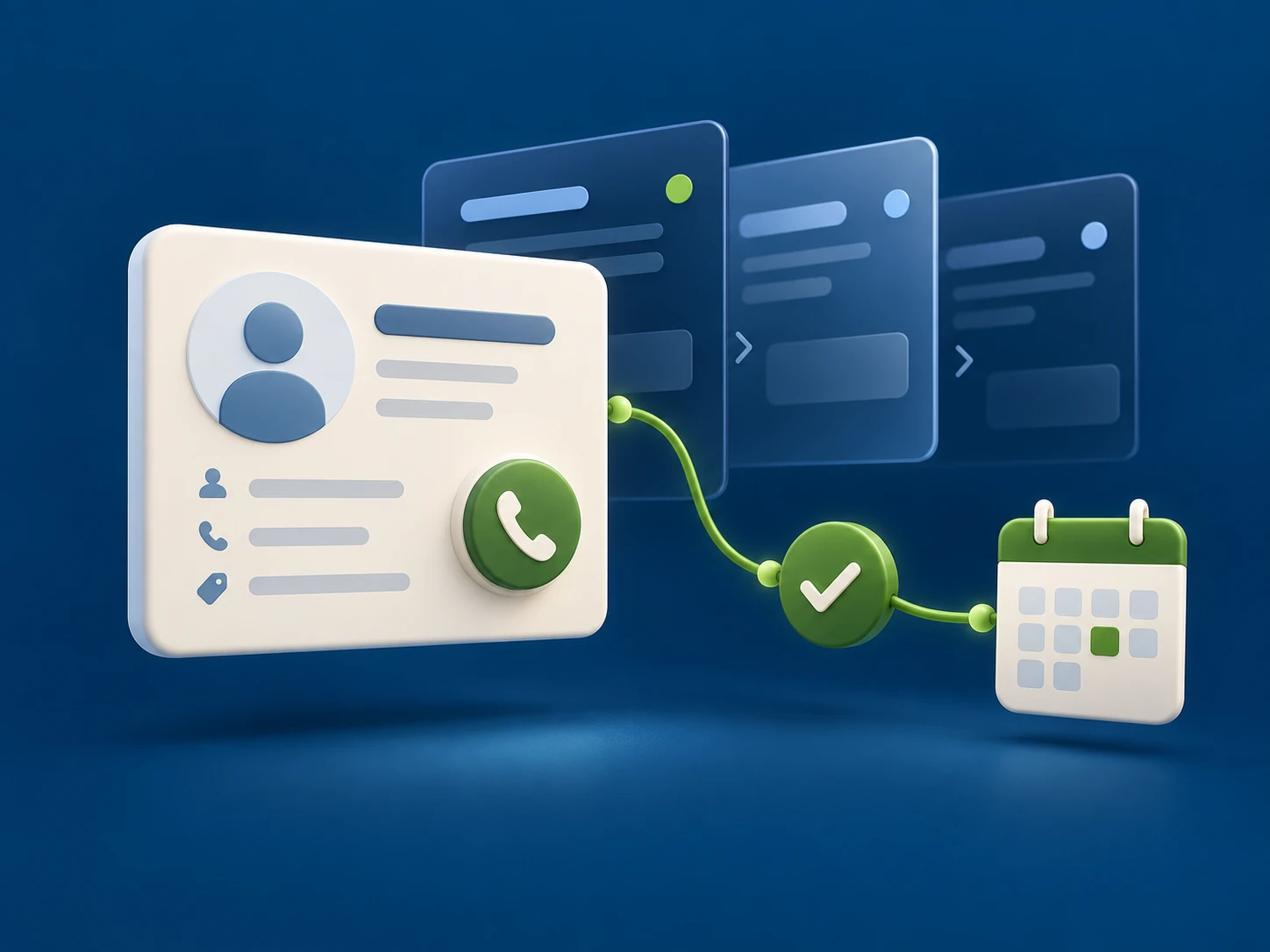
Contacts, calls, and agreements are available in one shared database. It is easier for a manager to continue the conversation from the right point.
02 / Action
Every deal has a next step
The pipeline, tasks, and reminders help move interest toward an offer and the offer toward a decision.
03 / Control
Managers see the full picture
Deal statuses, communication history, and reports show where support is needed and what should be improved.
Sales Management
See where each deal stands.
Know what to do next.
Configure stages to match your sales cycle. Keep context in every deal, record its status, and plan the next steps with the customer.
- One customer database instead of scattered files.
- A pipeline tailored to your process: from inquiry to deal completion.
- Comments, documents, and custom fields in customer and deal records.
- Interaction history available to the next manager.
The conversation becomes part of the deal
Telephony and CRM.
One customer history.
On an incoming call, the manager sees who is calling and what was discussed before. An outgoing call takes just one click in the CRM.
Call data and recordings from the Virtual PBX are saved in the system. You can revisit agreements, check communication quality, and continue working after a missed inquiry.
01
The Customer Calls
02
You Talk
03
The Conversation Continues
Calling features depend on your connection and telephony settings.
Less Routine
You no longer need
to remember everything for everyone.
Plan calls and meetings, assign tasks, and use reminders. The system helps managers avoid keeping the entire workday in their heads.
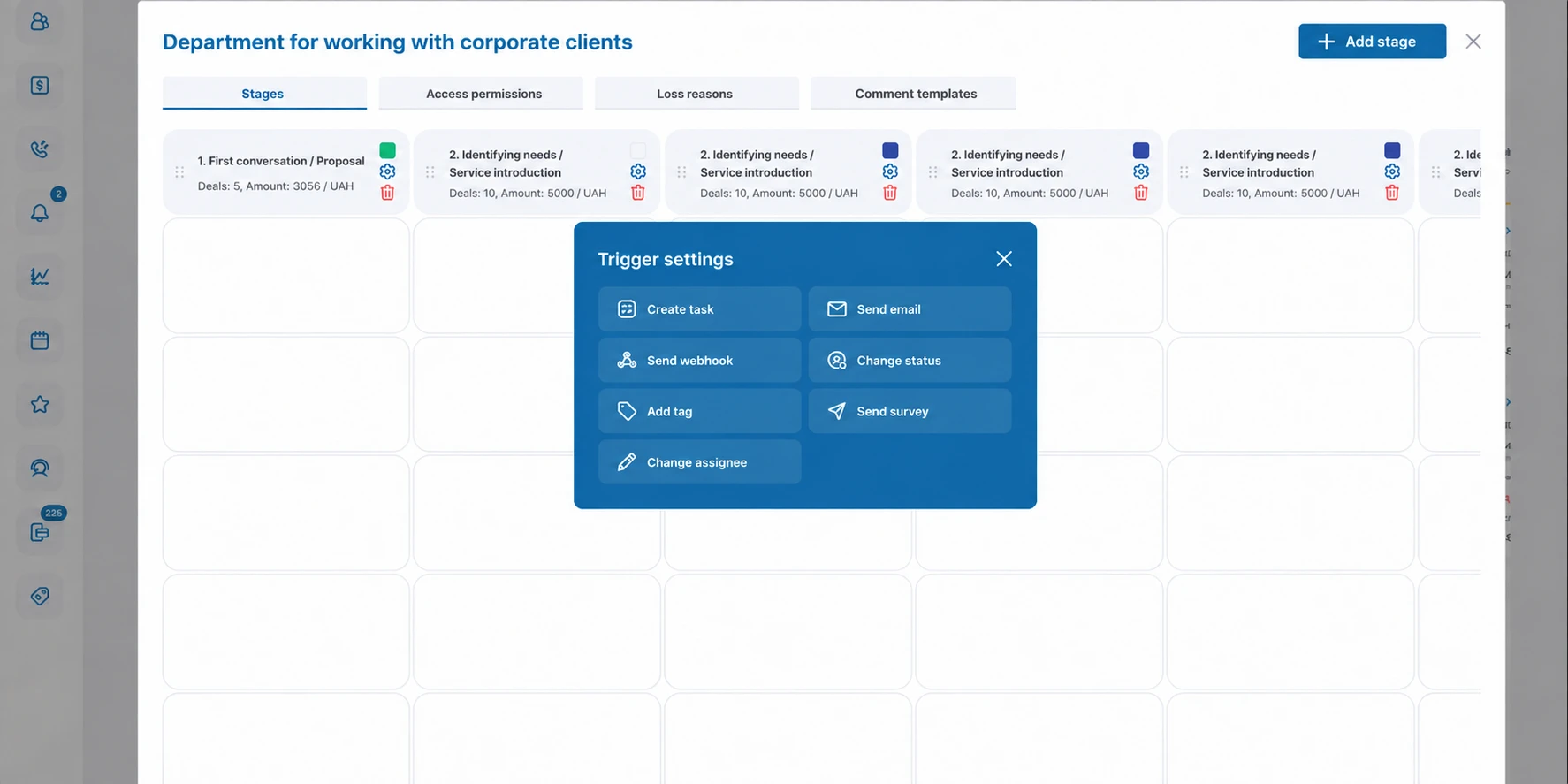
Triggers and bulk actions simplify repetitive operations. Automation scenarios are configured around the way your team works.
MANAGER’S PLAN
09:30
Clarify Inquiry Details
11:00
Next Step in the Deal
15:00
Review the Agreements
Example of Daily Tasks
For Managers
Manage sales
based on facts.
Understand what is happening in the department without constantly asking for reports. Use ready-made reports and create your own based on CRM data.
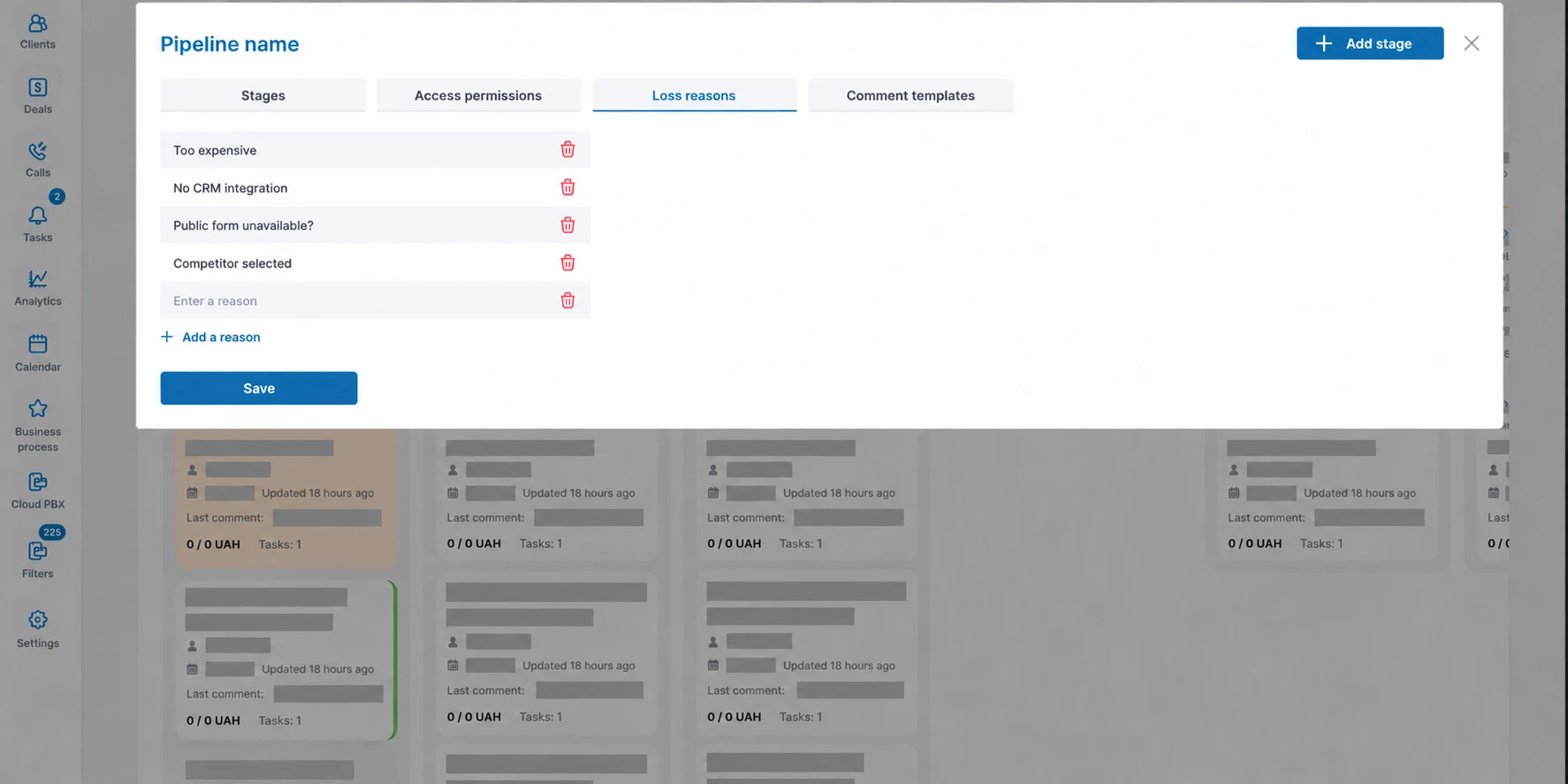
- Analyze deals and reasons for lost opportunities.
- Review communication quality using call recordings.
- Configure access permissions by employee role.
- Work with data in a browser from the office or remotely.
Everything Is Connected
More capabilities.
Fewer switches between tools.
Communications
One-click calls, SMS from the dashboard, and assignment of customers to responsible managers.
Data and Documents
Import and export, document uploads, and custom fields in customer records and deals.
Lead Sources
Integration with external data sources, website forms, and billing systems.
PBX Management
Call forwarding, call-center schedules, and other telephony settings managed through the CRM.
See How It Works
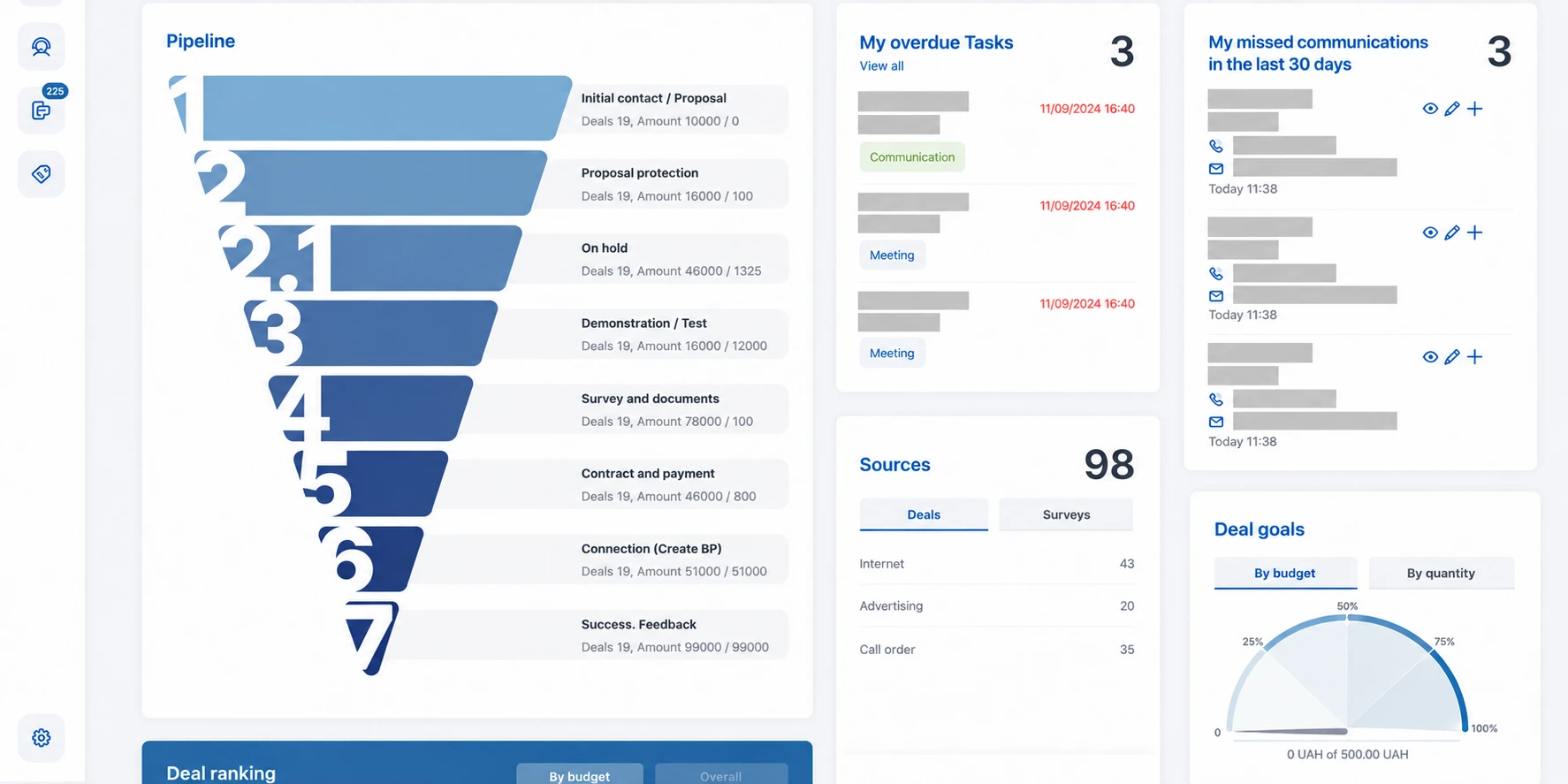
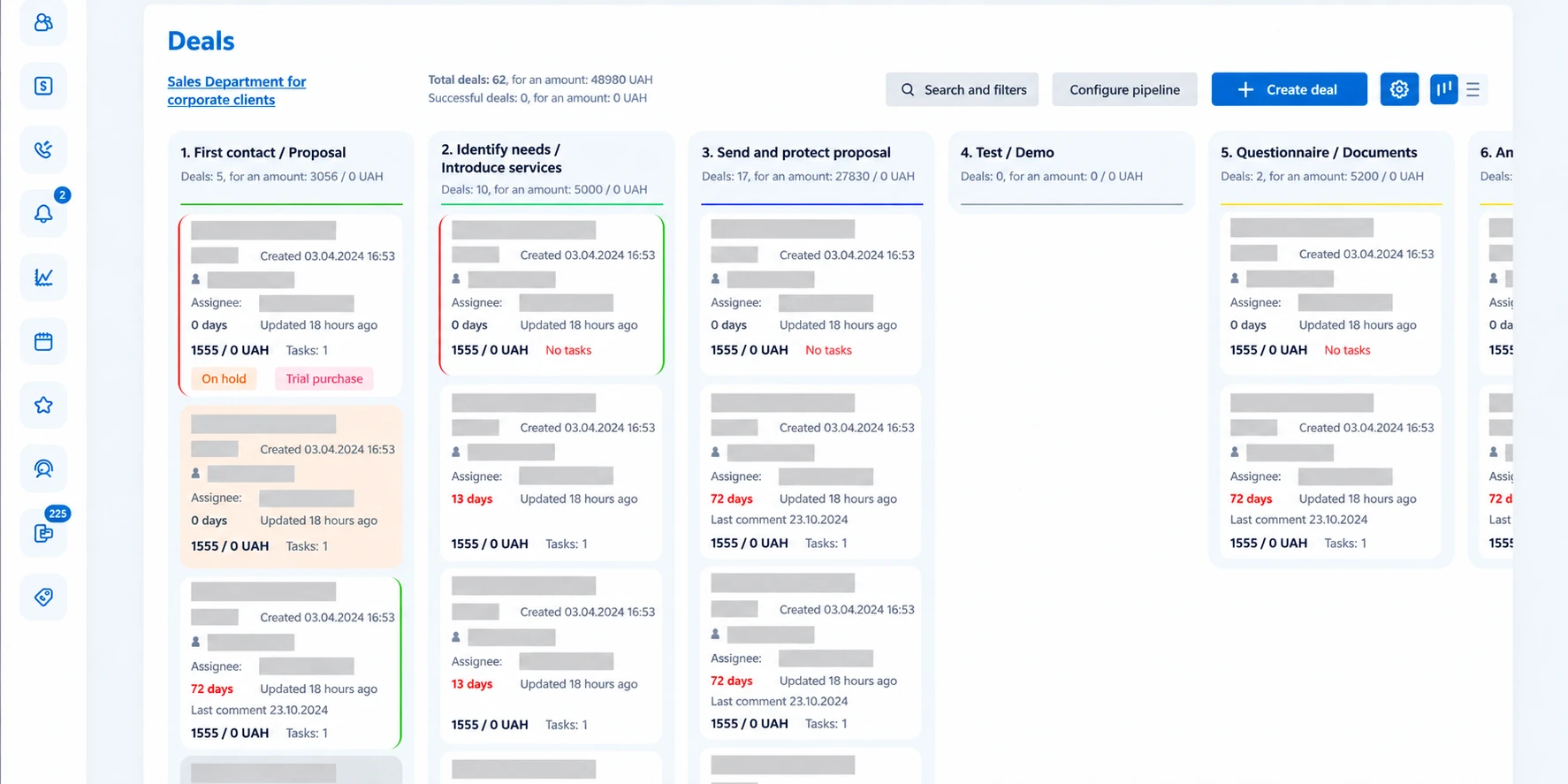
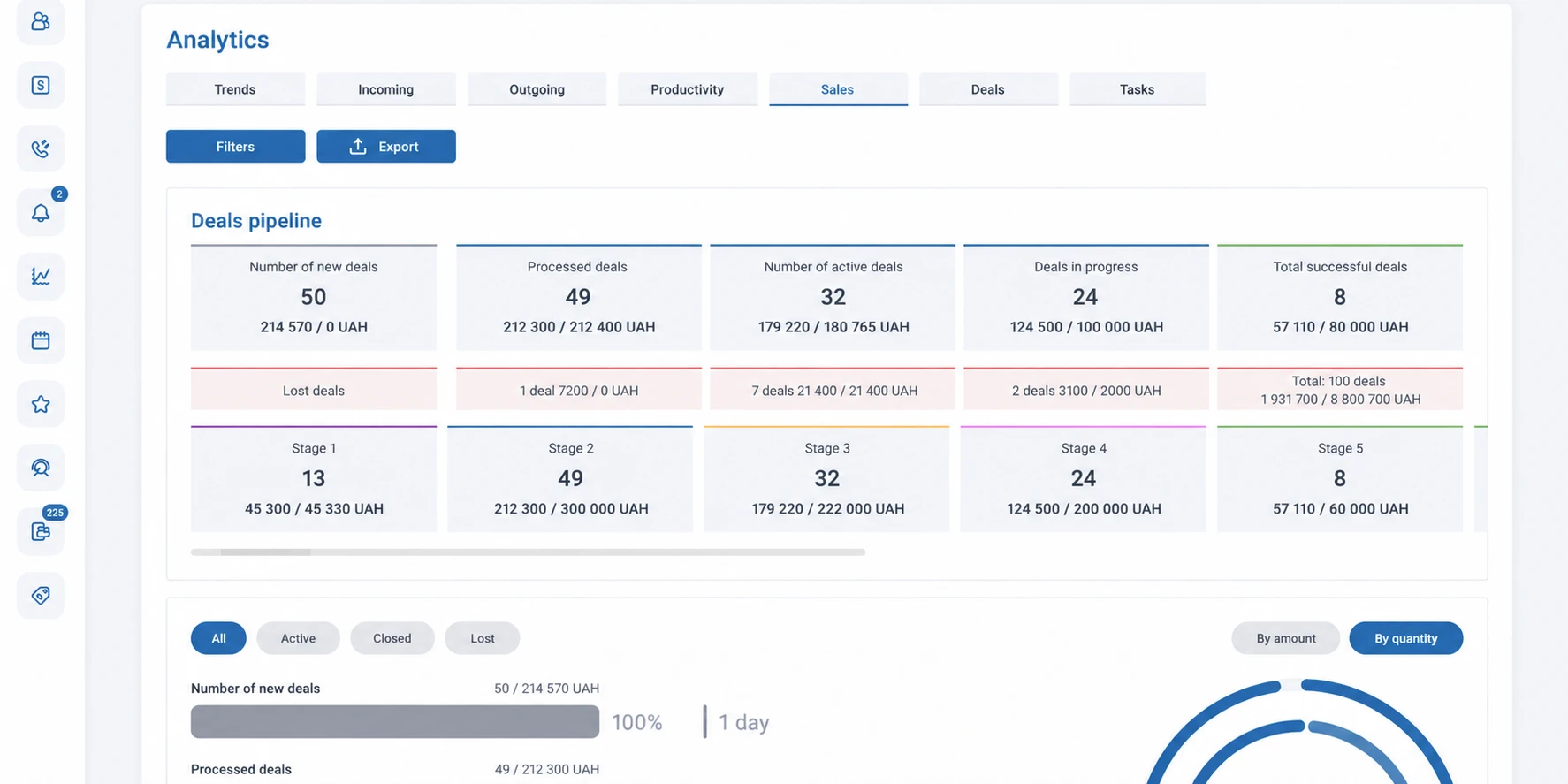
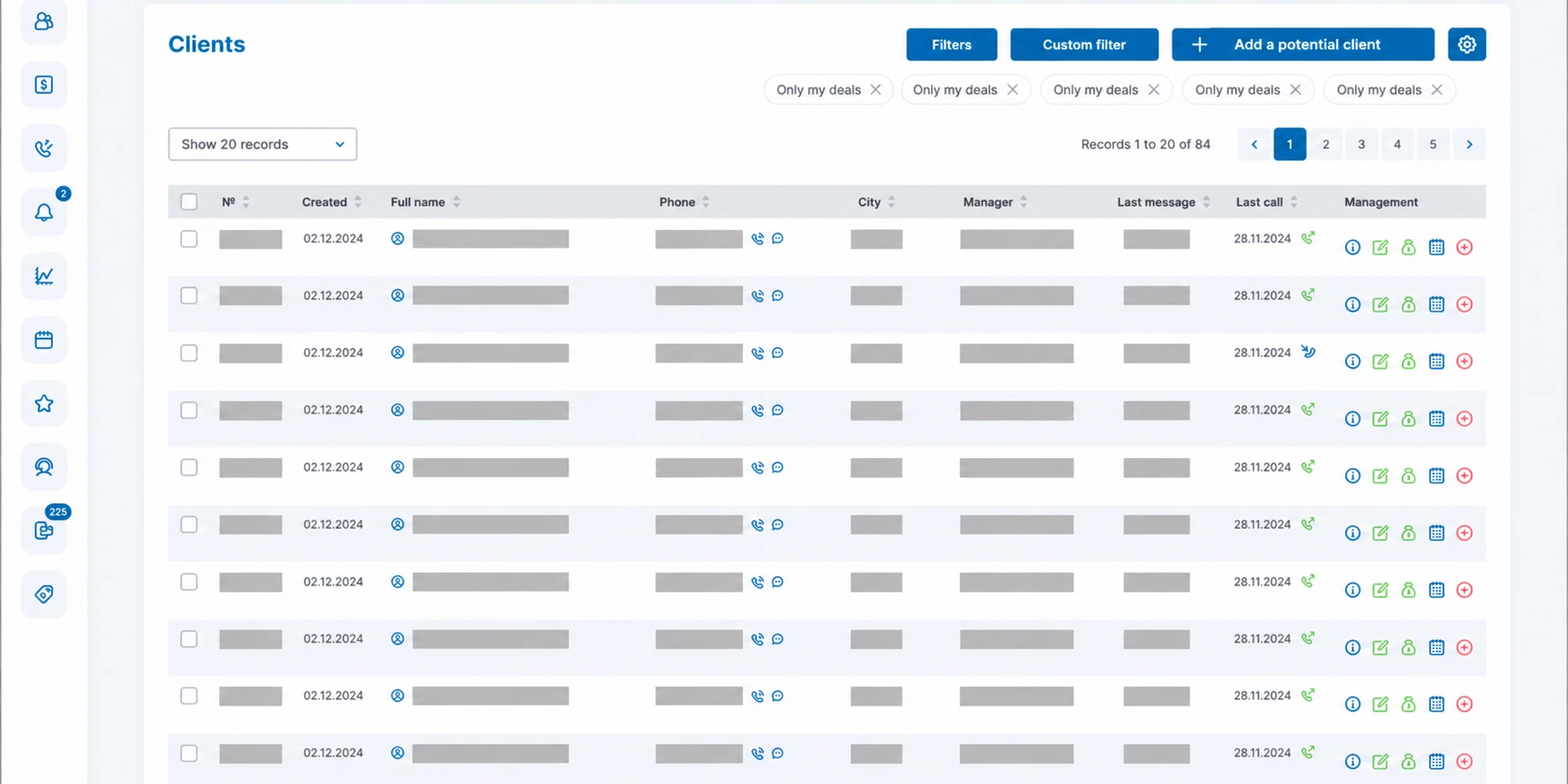
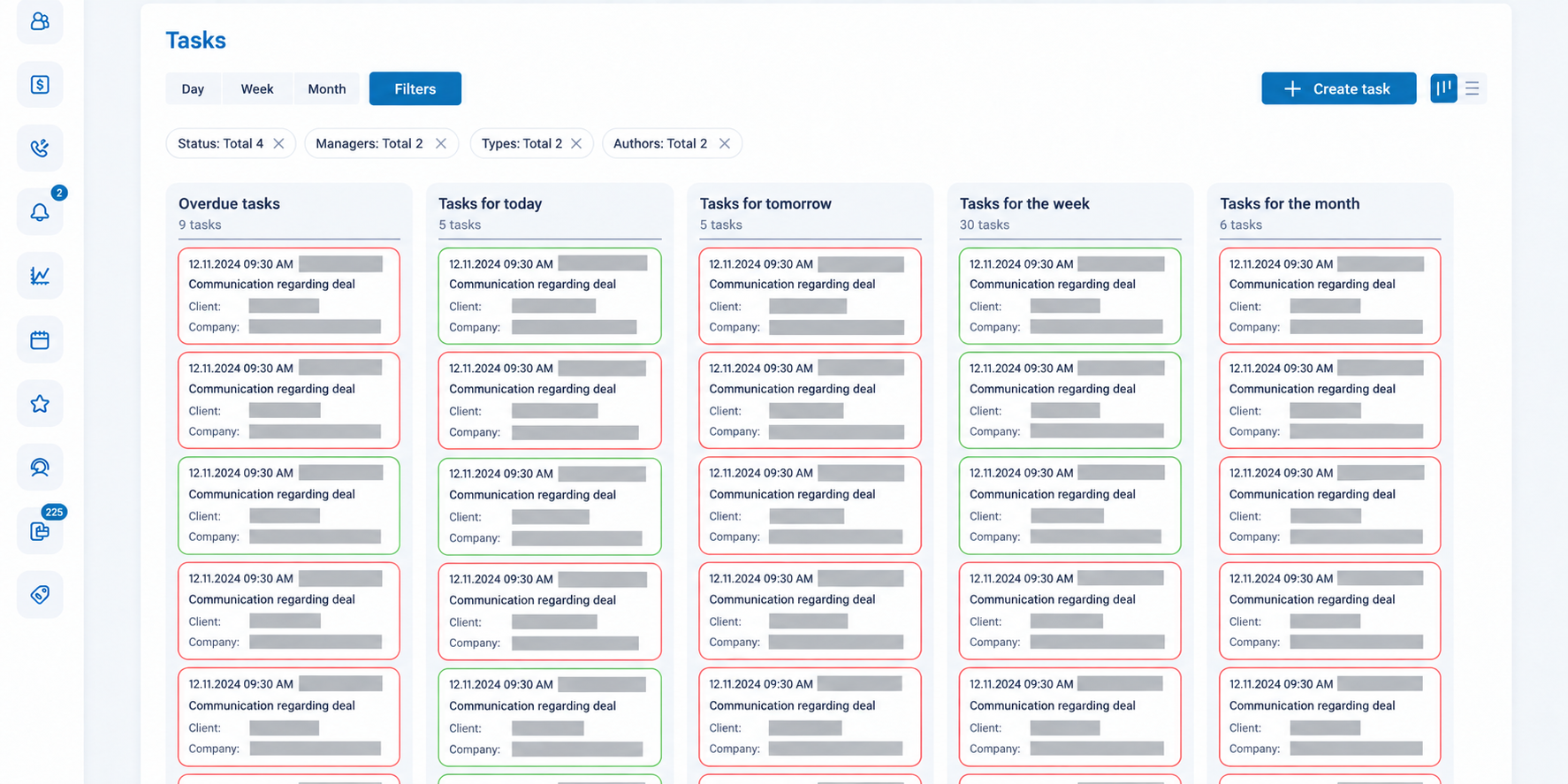
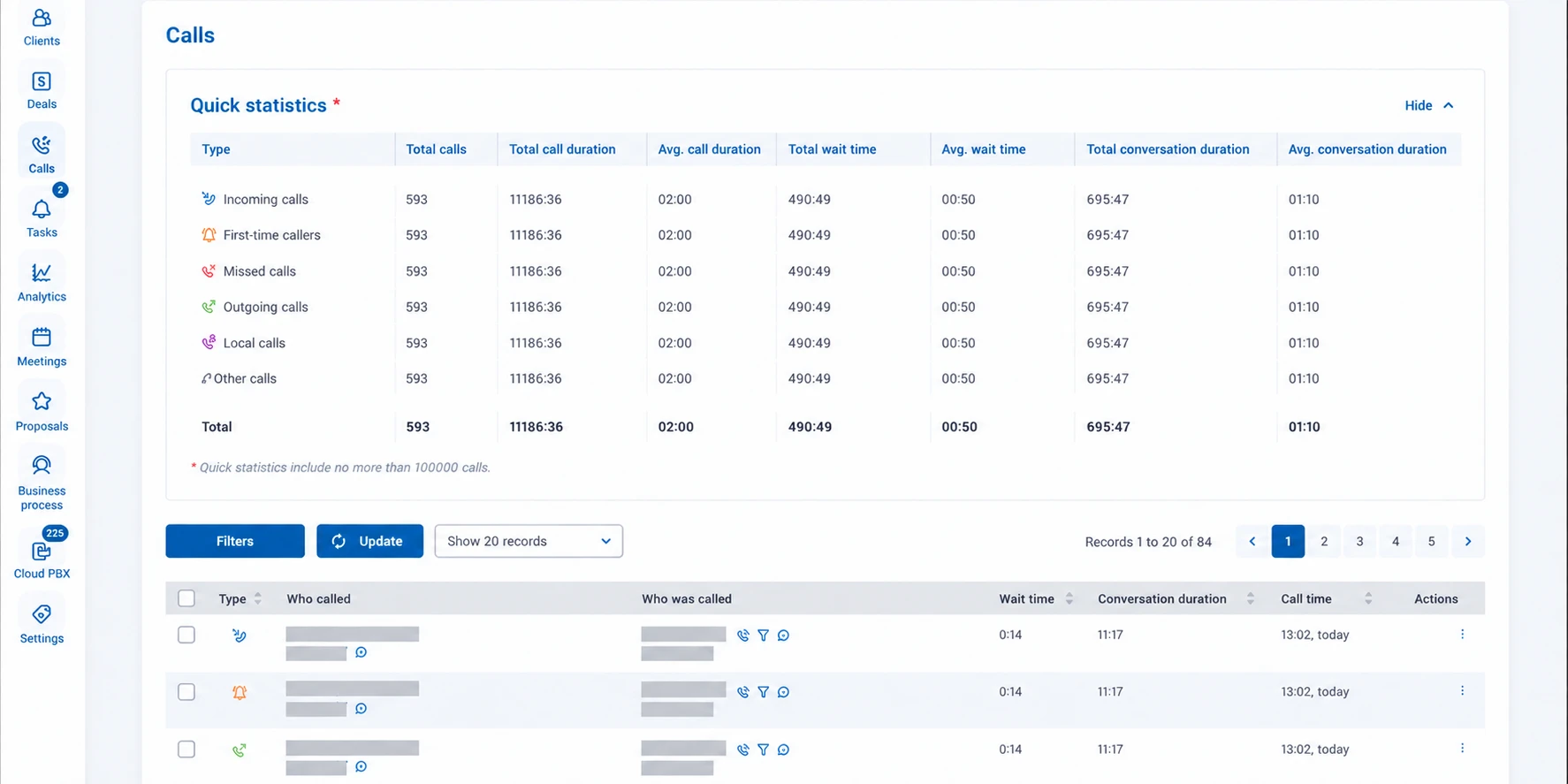
StreamCRM Interface Examples
Deals, the customer database, tasks, and analytics — all in one workspace. Browse the screenshots and open them in a larger view to see the details.
A Clear Starting Point
StreamCRM Pricing
Customers and Sales
- Deals and Pipeline Builder
- Tasks and Reminders
- Sales Analytics and Reports
- Custom Fields in Customer Records and Deals
Automation and Data
- Triggers and Bulk Actions
- Role-Based Plans and Access Rights
- Integration with External Data Sources
- Document Uploads
Customer Communications
- IP Telephony Integration
- Customer Record on Incoming Call
- One-Click Calling — Click2Call
- Desktop Notifications
From Introduction to Launch
We will launch the CRM together with your team.
01
Discovery
We discuss your department’s needs, number of users, and current telephony setup.
02
Planning
We agree on the solution scope, sales stages, integrations, and pricing.
03
Configuration
We connect the CRM and telephony, configure access rights, and set up workflows.
04
Training
We show employees how to manage customers, work with tasks, and use reports.
CRM System for Businesses in Ukraine
StreamCRM helps organize sales operations: store contacts, manage deals, and keep the history of customer interactions. The cloud CRM brings managers’ daily tasks together and gives supervisors access to data for control and analysis.
The solution is suitable for companies where a sale requires several touchpoints: B2B teams, service businesses, online stores, and training projects. Instead of searching for agreements across separate spreadsheets, employees work with a shared customer database and clear deal stages.
CRM with telephony connects each conversation to the next steps in the sales process. Call Recordings help restore the details of customer conversations, while tasks and reminders help plan the next contact. If you already use another system, explore IP telephony features for business.