Remote Team Call Management in Business Communications
With IP telephony for remote work, a team can operate from different geographic locations. Employees are distributed across cities and countries. Due to different time zones, coordinating calls and quickly transferring requests between departments is difficult without a cloud PBX. Some calls get lost when channels are overloaded, or they shift into messaging threads with no logging or follow-up control.
Another typical problem is fragmented communication channels. A client calls, writes in a messenger, and duplicates the request via email — while the manager only sees one channel. As a result, the team wastes time searching for conversation history, the manager lacks a complete picture, and response speed drops. For a business, this means loss of visibility and difficulty managing request handling.
What Is IP Telephony and Why Is It Convenient for Remote Work
A virtual PBX for a remote team operates via internet protocol. Voice traffic is transmitted over digital channels. A subscriber number is not tied to a physical PBX. An employee can take calls from a laptop or smartphone anywhere with internet access.
Telephony for remote employees eliminates the need for complex local hardware. Settings, forwarding rules, call distribution, voice menus, call recording, and integrations are all managed through a web panel. The service scales easily: a new employee connects without cables or additional installation, and changes to call routes are made centrally.
For a remote team, this is convenient due to deployment flexibility. The office operates in a hybrid mode — part of the team works from home, another part is in a different region. There is no need for a strict tie to a single location. Access to communication remains uninterrupted during relocations, business trips, and seasonal schedule changes.
How IP Telephony Organizes Remote Team Operations
Cloud telephony for freelance teams ensures seamless interaction among all process participants. A call comes in on a shared number, the system routes it to the right employee, and the history of all interactions is stored in a single environment. This speeds up transfers and eliminates chaos across separate communication channels.
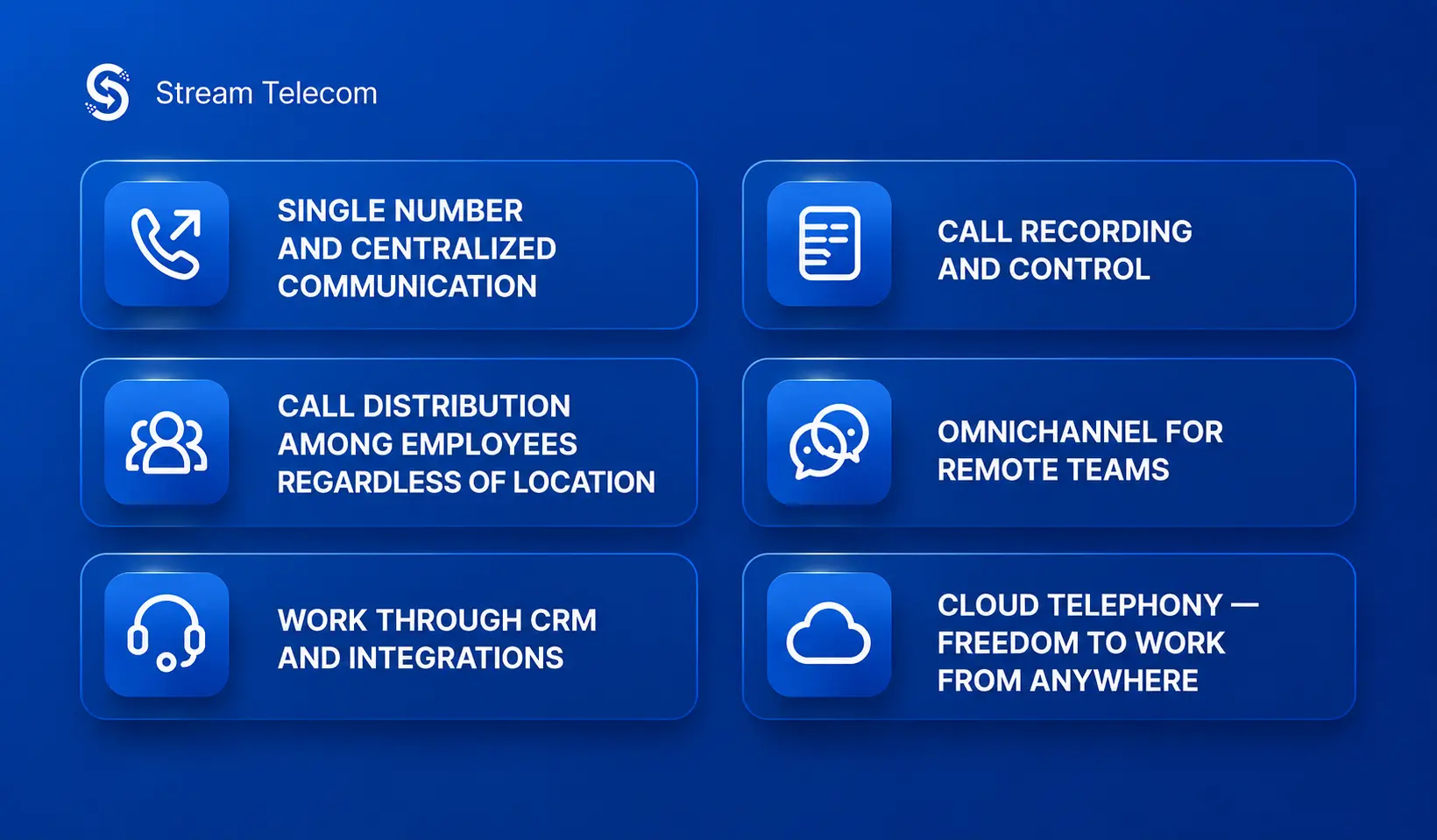
Unified Number and Centralized Communication
The client perceives the company as a cohesive structure. One number, a unified handling algorithm, and a shared forwarding scheme create a directed point of contact with the brand.
Call Distribution Among Employees Regardless of Location
Call routing in a distributed team directs calls based on load. If one manager is unavailable, the call is transferred to another. Requests are distributed evenly and queues are reduced.
CRM Integration
CRM integration for remote telephony automatically links calls to the client’s profile. After the first contact, the system saves the number, name, deal stage, interaction history, and call outcome. The manager sees the context before the conversation even begins, and the supervisor gets a complete picture of lead and deal management.
Call Recording and Monitoring
Call recording for remote work helps maintain process oversight without a physical office. A supervisor can listen to conversations, evaluate tone, response speed, consultation accuracy, and script adherence. This is useful for onboarding new employees, reviewing complex cases, and auditing remote teams without daily manual supervision.
Omnichannel for Remote Teams
Omnichannel communication for remote teams unifies calls, chats, messengers, and other channels in a single work environment. An operator sees not only the voice contact but also accompanying correspondence, files, notes, and the status of the request. This eliminates information duplication and simplifies handoffs between departments.
Benefits of IP Telephony for Remote Work
To integrate a new service, it is important to understand how IP telephony works for business and what advantages it offers. It simplifies call management and reduces costs compared to a traditional communication system.
Key benefits:
- Speed — calls are distributed without pauses or long waits
- Cost savings — no separate hardware required at each connection point
- Scalability — new numbers, users, and departments are added without system rebuilding or additional cable installation
The supervisor can see the call flow, team workload, response time, and request handling outcomes. The remote structure becomes manageable and more productive at the company-wide level.
How to Boost Remote Team Productivity with Telephony
Stream Telecom specialists can explain how to organize communication in a remote team and establish seamless interaction between operators. Proper IP telephony configuration directly impacts the KPIs of sales, support, and service departments. When calls quickly reach the responsible employee, wait times decrease and the number of missed contacts drops.
Business telephony without a physical office helps maintain process discipline. A supervisor tracks call statistics, compares workload across employees, and identifies bottlenecks.
Security and Stability in Remote Communications
A call center for remote operators requires secure communication channels. Encryption, user authentication, and access rights differentiation are used to limit exposure of service data and maintain control over the corporate network.
Continuous connectivity is maintained through redundancy and duplication of critical nodes. If one channel becomes unstable, traffic can be rerouted to another path or the provider’s backup infrastructure. For a business, this means fewer interruptions — even when part of the team connects from different networks or devices.
Additional call monitoring in a remote team is provided through event logs and analytics. The administrator determines who has access to recordings and who is responsible for changing routes. This maintains order in internal communications and helps quickly detect anomalies.
How to Launch IP Telephony in a Remote Company
Launching communication automation remotely should begin with an audit of existing channels.
Step-by-step implementation process:
- Audit — assess the current communication setup, call volume, departments involved, and points of loss
- Provider selection — evaluate connectivity quality, availability of cloud features, and call recording capabilities
- Integration — connect CRM, configure numbers, IVR, queues, and call distribution rules
- Team training — walk the team through the interface, calls, statuses, and call recordings
After launch, review the statistics during the first few weeks and adjust routing as needed.
Start Optimizing Your Remote Team’s Performance Today
Contact Stream Telecom to learn how to avoid losing calls in a remote team. The company will conduct solution testing and activate a demo version to evaluate the effectiveness of the chosen package under real conditions — making it easier to assess communication quality before full deployment and select the optimal configuration for your remote business process.